Product Refund
Topics:
- Customer requests product refund in the US or Canada
- How to process a refund for the purchase price of a unit
- When to share the costs of a refund for a product with other parties involved
- When to consider a product buy back
- How to buy back product from customer
Troubleshooting:
Consider full product refunds when:
- A unit is less than a year old.
- Only if the customer cannot be satisfied through other means like repair, warranty extension, or education on use.
Note: Typically, product refunds take place in the first year of ownership. If it is determined a product refund is the solution after one year of use, consider negotiating:
- Delivery and install costs
- Years of use (prorate)
- Accessories purchased with the unit
Answer:
All product refunds require a copy of the original purchase receipt. Attach the receipt that was paid-in-full (in Canadian currency for Canadian customers) to the case in D365:
Create a Product Replacement Request case in D365:
Summary tab:
- Case Title: Buy Back + Issue
- Example: Product Buy Back - interior frame cracked, not repairable
- Case Type: Product Replacement Request
- Customer Account: Household of physical location
- Unit: Serial number of product being removed
- Description: Details of the product buy back negotiation, include a link to Mirror media and/or reference attachments
- Service Company: Select if applicable
- Save
- Caller Type: Owner
- Caller Account: Household populates
- Caller Contact: Select from dropdown
- Save
- Status: Outcomes Processing
- Owner: Your Name
- Save
Details (Child) tab:
- Offer Type: Product Buy Back
- Offer Amount: $ amount
- Payable To: Populates the Caller Contact
- Notes: Enter and save as needed
- Use the Notes field if the check should be mailed to an address that is different from the primary address associated with the account
- Save
Click Product Replacement.
Product Replacement Tool
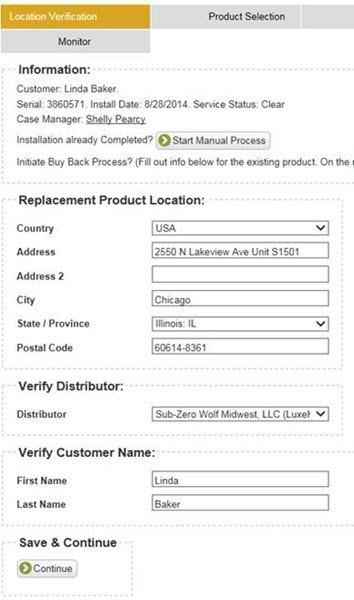
Location Verification:
- Verify address, distributor, and customer name.
- Click Continue.
Product Selection:
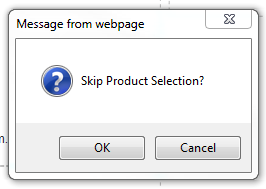
- Click Buy Back.
- Click OK in the Skip Product Selection window.
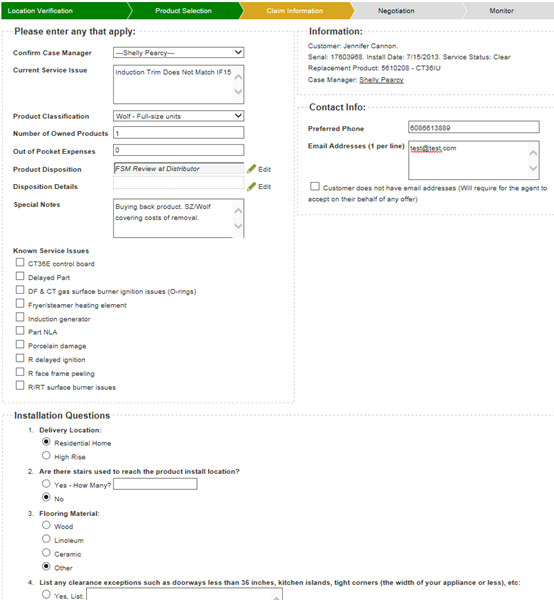
Claim Information:
- Enter the current service issue.
- Select Product Disposition.
- Add Special Notes as needed.
- For Canada refunds, enter: Refunding $XXX Canadian dollars.
- Select Known Service Issue (select only 1) as needed.
- Verify the contact phone and email address.
- Complete the questions in the Installation Questions section.
- Click Continue.
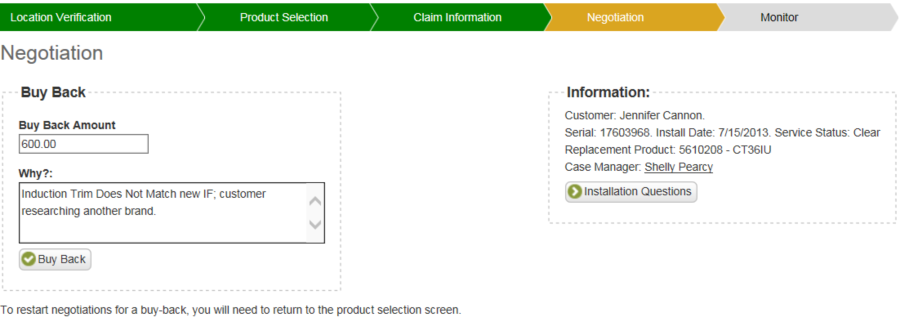
Negotiation:
- Enter the buy back amount in the Buy Back Amount field.
- Add notes to the Why field.
- Click Buy Back.
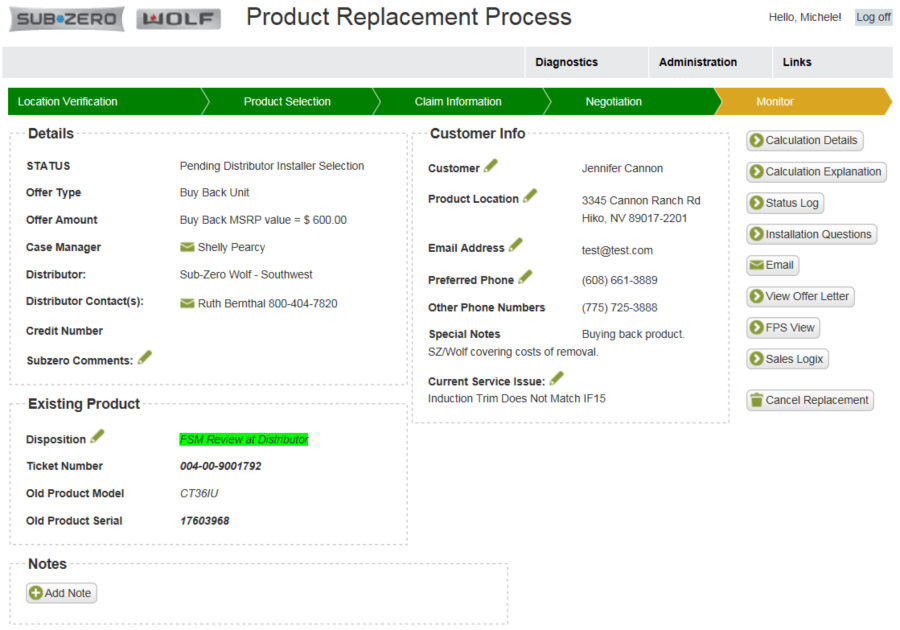
Monitor Page Screenshot:
DID THIS ANSWER YOUR QUESTION?

We're standing by with answers
Whether you're shopping for appliances or have questions about those you already own, we've got the resources you need. Talk directly to a customer care expert at the Sub-Zero, Wolf, and Cove service center, or connect with an appliance consultant at an official showroom near you. Get quick answers online, or reach a certified service provider or installer. And much more.
Call us at (800) 222-7820