Designer Undercounter Ice Maker (DEU1550I) Water Filter
Topics:
- Remove, install, or replace water filter, part # 9072968, 9072970 on Designer Undercounter Ice Maker DEU1550I(P)?
- Reset water filter on a DEU1550I(P)?
- Part number for the DEU1550I water filter
- How to order new water filters for the DEU1550I ice maker
Answer:
- If a water filter is installed, the touchscreen will show the Water Filter icon in the Settings. This icon appears only if a water filter is in place.
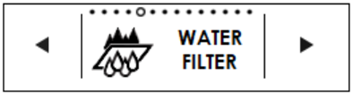
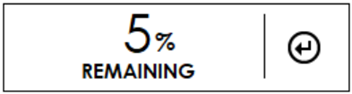
- When a water filter is installed, selecting Water Filter from the Settings menu will show the life remaining as a percentage.
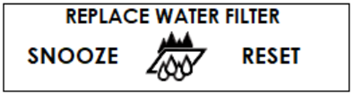
- When the remaining life reaches 0%, "Replace Water Filter" will appear on the display, with the option to Snooze or Reset.
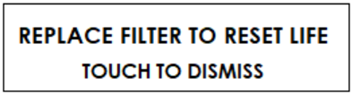
- Selecting Snooze will snooze the notification for one week, selecting Reset will display "Replace Filter to Reset Life".
- Once the filter has been removed and a new one installed, "Confirm Water Filter Replacement" appears. Touch Yes to reset filter life to 100%.
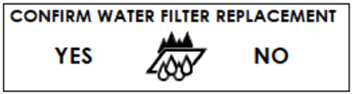
Note: Touch No to keep the filter life the same as it was before the filter was removed.
To replace the water filter:
- Turn power to the unit off to replace the water filter.
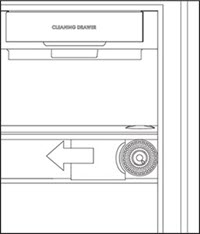
- To remove the water filter, open the ice maker door and find the filter on the bottom-right side.
- Rotate the cartridge one-quarter turn counterclockwise until it pops out.
- Use a jar opener to help provide a better grip for a hard to remove filter.
- Reverse the process to install the new water filter
.
Refer to the product Use and Care Guide for further information.
DID THIS ANSWER YOUR QUESTION?

We're standing by with answers
Whether you're shopping for appliances or have questions about those you already own, we've got the resources you need. Talk directly to a customer care expert at the Sub-Zero, Wolf, and Cove service center, or connect with an appliance consultant at an official showroom near you. Get quick answers online, or reach a certified service provider or installer. And much more.
Call us at (800) 222-7820